

EXPLORE THE ZOLVANT AI PLATFORM
Your Business Workspace, From Inquiry to Next Step
Your subscription provides a Zolvant AI dashboard, powered by HighLevel. Manage the tools in your plan, connect your business and configure the workflows you need.
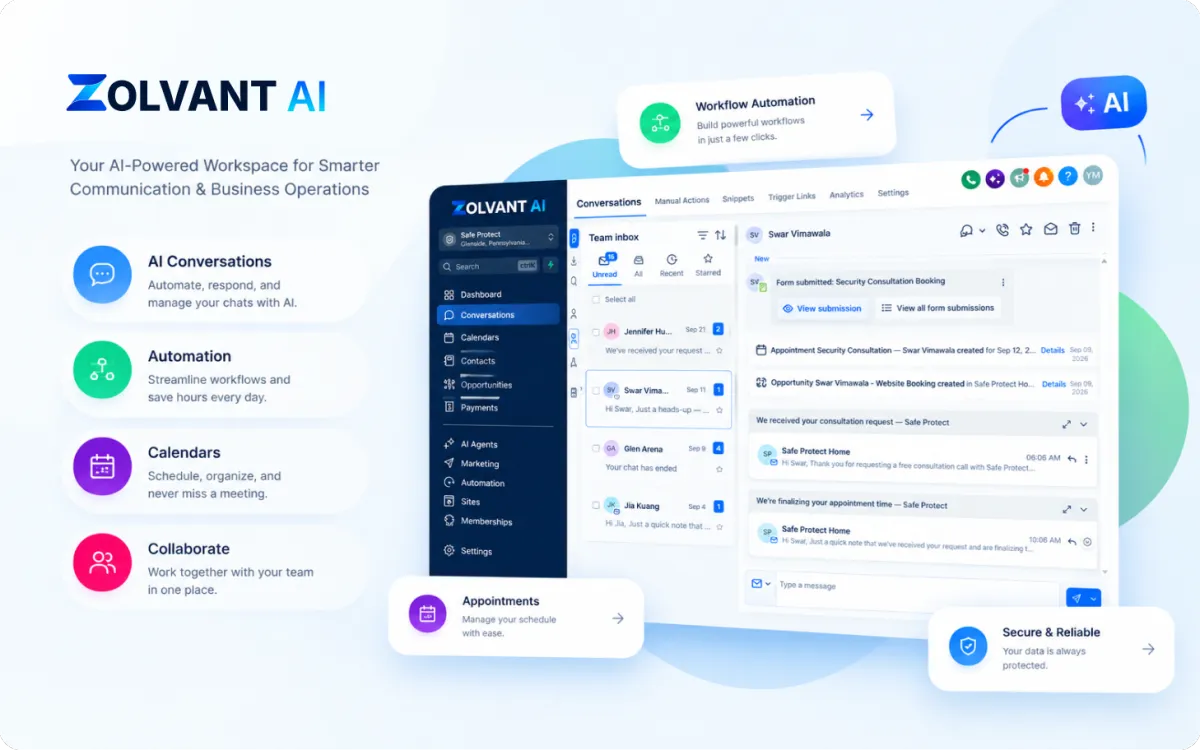
Explore your workspace
Contacts
Conversations
Sales Pipeline
Calendar
Automations
AI Tools by Plan
YOUR WORKSPACE AT A GLANCE
One Place for the Work Around Every Opportunity
Organize customer information, conversations and next actions in your business workspace.
Contacts & Context
Keep contact details, notes and conversation history together so your team has context before replying.
Pipeline & Follow-Up
Track opportunities and see who needs a reply, a follow-up or an appointment.
Calendar & Bookings
Set availability and manage appointments through your configured calendar.
How a Connected Workflow Fits Together
An example of what can happen after your channels and workflows are configured.
An Example Customer Inquiry
Customer: Hi, I’d like to arrange an estimate.
Workspace: The connected conversation is linked to a contact record.
Workflow: Your enabled automation can notify the team or send a configured response.
Your team: Review the inquiry and guide the customer toward the next step.
The Information Stays Connected
Contact Record
Customer details and conversation context
Pipeline Stage
New inquiry → Follow-up → Appointment
Calendar
Available times, when connected
Next Action
A team reply, configured follow-up or booking request
Illustrative workflow and product visuals. Available screens and actions depend on your plan, connections and configuration.
From Subscription to a Workspace You Can Use
Access comes first. Connections, configuration and testing make the tools useful for your business.
01 Choose Your Subscription
Compare the listed software features and select the plan that fits your team.
02 Access Your Workspace
Follow the account access instructions after signup and add your business details.
03 Connect & Configure
Connect supported channels and your calendar, then configure the workflows and AI tools available in your plan.
04 Test & Activate
Check responses, notifications and booking rules before going live. Custom implementation is quoted separately.
Explore the Tools Behind Your Workflow
These product illustrations explain the workspace. Book a live walkthrough to see the current interface and discuss your plan.
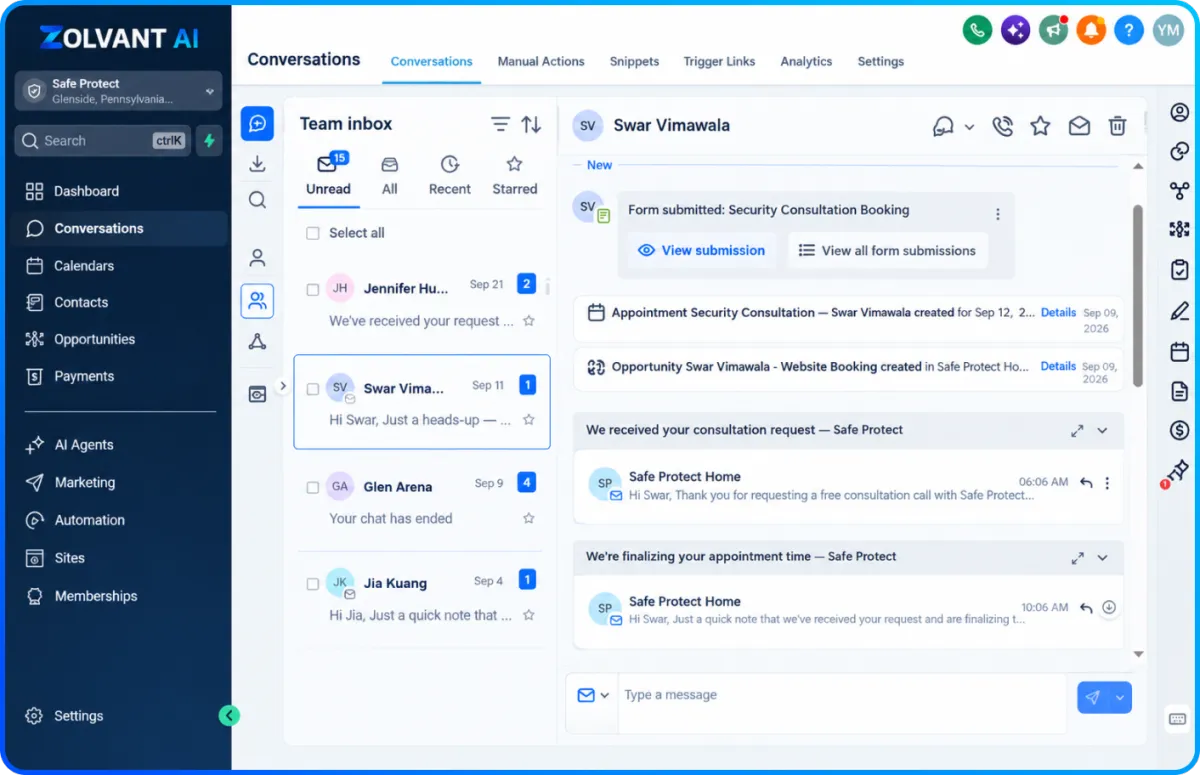
CONVERSATIONS & CONTACTS
Keep Customer Context in One Place
Bring supported channels into your conversations area and keep the relevant contact details nearby. Your team can review the inquiry and decide what happens next.
Connect contacts and conversation history.
Review inquiries from supported channels.
Assign the next step to your team or workflow.
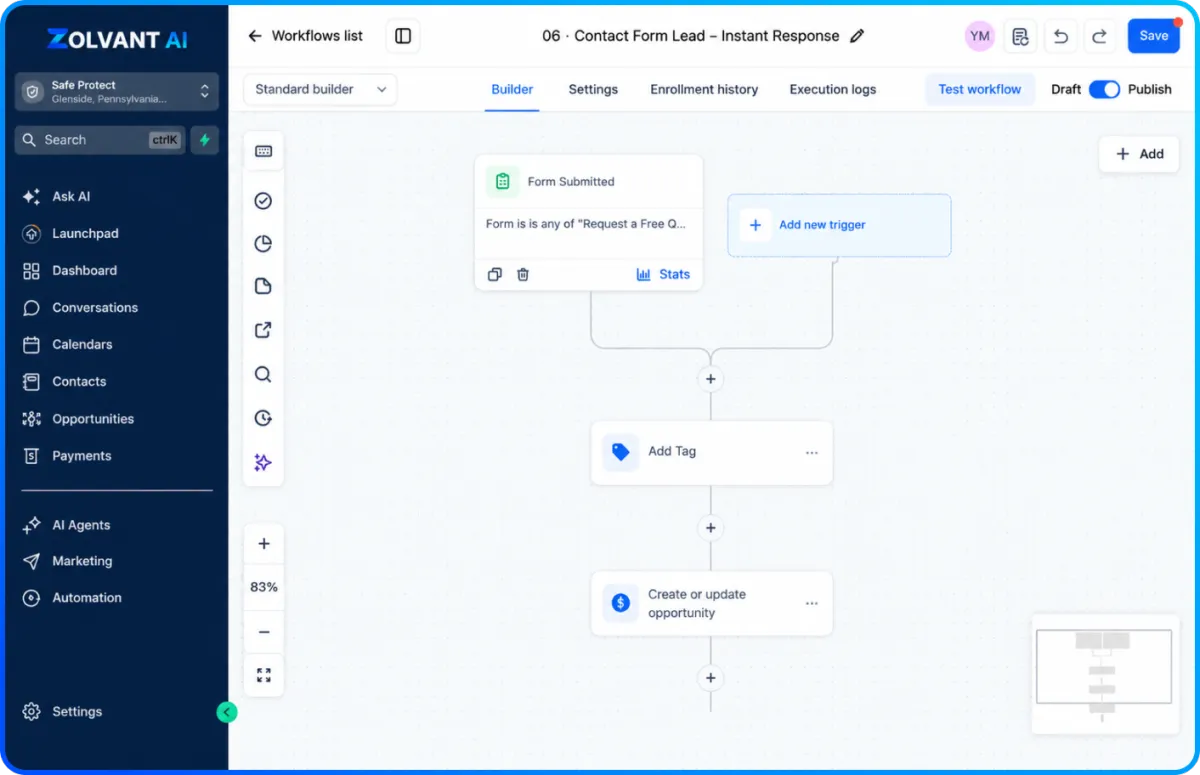
WORKFLOWS & AI
Configure the Repetitive Steps Around Your Team
Use the automation and AI features listed in your plan to support follow-up and booking. Your business information, connections and rules determine how they work.
Build follow-up and notification workflows.
Connect calendar availability for booking.
Activate included AI features after configuration.
Know What Your Subscription Covers
Software access, usage and custom implementation are different parts of your setup.
Platform Subscription
Your business dashboard and the software features listed in your selected plan. Plan limits and standard support follow that plan.
Connections & Usage
Connect the channels and calendar you need. Calling, SMS, email and certain AI services may incur additional usage charges.
Optional Custom AI Setup
Request a separate quote for a voice agent, chat assistant, business-specific AI training, integrations or done-for-you workflows. Scope, price and timeline are agreed before work begins.
FREQUENTLY ASKED QUESTIONS
Product & Subscription FAQs
Clear answers before you choose a plan.
What do I get after subscribing?
Access to your own Zolvant AI workspace with the features listed in your selected plan. Follow the account access instructions after signup, then connect and configure the tools you plan to use.
Does every plan include every AI feature?
No. Compare the listed features on the pricing page. Access, allowances and tools depend on your plan. Ask our team to confirm your requirements before subscribing.
Is custom AI setup included?
Custom agents, integrations and done-for-you implementation are separately scoped services. Request a quote before work begins. Your subscription provides the software access listed in your plan.
Can I see the dashboard before choosing?
Yes. Book a free demo for a live walkthrough of the current interface. The illustrations on this page explain example workflows rather than a logged-in customer account.
CHOOSE YOUR NEXT STEP
See the Platform. Choose Your Plan. Build Your Workflow.
Compare subscriptions for dashboard access or book a demo to discuss your business and any separately quoted custom AI setup.

AI-powered lead conversion software for service businesses — helping teams respond faster, follow up automatically, book more appointments, and keep every opportunity moving.
Zolvant AI is a product of Young10 Marketing LLC.
30 North Gould Street
Sheridan, WY 82801
© 2026 Zolvant AI. All rights reserved.